
487 search results for “visual art” in the Staff website
-
Your story becomes art in the [s]TATTOO pop-up studio
Social
-
 Hans Theunissen
Faculty of Humanities
-
Step 2: Video formats
In this step, you will find examples and an explanation of each video format, but remember: video making is a creative process, so don’t let formats limit your imagination. Build on them to find and create your own style that fits your message.
-
Contact
As a teacher, there are different people and departments within the faculty that you will deal with.
- Script: creating a three column script
-
Toolkit
Welcome to this webpage filled with tips & tricks!
- From dancing to painting: sign up for a creative course at LAK
-
Art project has students and lecturers reflecting on pressure to succeed
What does it mean to be the ‘perfect student’? This is the focus of the Perspectify exhibition, which was opened on 16 November by President of the Executive Board Annetje Ottow.
-
 Anna Dlabacova
Faculty of Humanities
-
Talking head
A talking head is a video in which the presenter is recorded from the waist up. This format usually includes visual aids like slides, a board, an object or an animation. This can be recorded in your office, at home or in the studio. If you consider recording in your office or at home, you might want…
- Why should you use video and is it right for you?
-
Accessible Education
Studying with a disability often costs additional time and energy. Leiden University wants to do all it can to offer equal chances to students with a disability. What can you do to support a student with a disability?
-
Documentary
What distinguishes a documentary from other formats is that it uses people and situations in real life to give voice to different opinions, provide a statement on a societal phenomenon and/or give insight into a world that is not easily accessible. If you want to record a documentary, it is important…
-
Image database
The University image database contains University images for use in printed materials and websites. The purpose of the image database is to create a central distribution source for all University images.
-
Support for online teaching
Do you need help creating or using online teaching methods, or are you running into difficulties? We are here to help you with your ICT- and didactic-related queries.
-
 Marijke Klokke
Faculty of Humanities
-
Book Presentation of Beyond the Mulatta: Haunted Hybridity in Advertising
Book Presentation | Studium Generale Lecture
-
 Bareez Majid
Faculty of Humanities
-
 Peter Liebregts
Faculty of Humanities
-
Podcast
Audio podcasts or audio recordings have a broad range of opportunities in education. Podcasts can be used to transfer knowledge (audio lectures), record interviews, record instructions for a field trip or to make a short radio documentary on location. Podcasts are a flexible medium, the small file size…
-
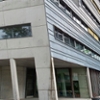 Oort
OortNiels Bohrweg 2, Leiden
-
 Saskia Cohen-Willner
Faculty of Humanities
-
Inspiration session art project [s]TATTOO
Share your ideas on social safety
-
Copyright
All the sources (both textual and visual) you use for your educational video or online course need to meet the requirements of Dutch copyright law. Below, you’ll find some guidelines for how to include references and attributions for visual resources in your video work, and where to find usable imagery…
-
Communication in Science
Communication, Research, Transferable skills
-
 Reinier Baarsen
Faculty of Humanities
-
Printed materials and templates
Do you need business cards, letter paper or other materials printed? Or do you need flyers, posters, roll-up banners or theses? Please contact the Graphic Centre of the University Services Department. They can also be hired to do layout or DTP work. The Graphic Centre can also produce displays, advertising…
-
Guidelines and support
Leiden University offers practical support and advice for professional communication. Here you will find all the guidelines and tools you need to get started immediately, as well as answers to questions such as: How do you apply the house style? Where can I find suitable imagery? And who can I turn…
-
 Petra de Bruijn
Faculty of Humanities
-
 Lucas da Costa Maciel
 -
 Henk Borgdorff
Faculty of Humanities
-
 Margot Stoppels
Faculty of Humanities
-
 Nike van Helden
Faculty of Humanities
-
Step 3: Prepare
The first phase of creating a video starts without a camera or microphone. In the pre-production phase the learning goals and content of the video are developed and put into a clear storyline. A well thought through video-script is key for effective video making. And remember: do not underestimate the…
-
 Lecture Hall
Einsteinweg 57, Leiden
-
House style
In its communications, Leiden University aims to create a clear and recognisable brand, which is why it is important that our house style is applied consistently.
-
Animation
Animation is a fun way to explain complicated theories and concepts, in which the visual aid plays a central role and is based around a storyline. An animation can be a stand-alone video with a voice-over but can also be used as part of a talking head video or screencast.
-
 Robert Zwijnenberg
Faculty of Humanities
-
 Kitty Zijlmans
Faculty of Humanities
-
 Seraina Renz
Faculty of Humanities
-
 Lieske Huits
Faculty of Humanities
-
 Benjamin Fogarty-Valenzuela
Faculty of Social and Behavioural Sciences
-
 Yixuan Liu
Faculty of Humanities
-
How to record with a video crew/in the studio
What do you need to record a knowledge clip in the studio? You can find below a checklist of the materials you need to bring to a studio recording. Keep in mind that this checklist depends on the kind of video you want to record. Always discuss the specifics for producing such a video with your video…
-
 Laura Bertens
Faculty of Humanities
-
How to find and re-use existing video materials
Before you start creating text and visual content for your educational video, make sure you have a clear picture of your learning objectives and how you are going to assess these. When you have established these, you can further develop what you want to teach. Keep in mind that there is already a lot…
-
Service desk Rapenburg
Oude UB, Rapenburg 70, 2311 EZ, Leiden
-
Service desk Campus The Hague
Wijnhaven, Turfmarkt 99, 2511 DP, The Hague
-
Digital accessibility
The digital accessibility expert group focuses on improving the accessibility of the university website, digital learning tools and digital examinations. As a result of the corona crisis many educational activities are now online. The group is therefore working closely with the Centre for Innovation…
-
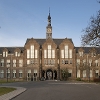 Poortgebouw
Rijnsburgerweg 10, Leiden